
Plotwork
A downloadable tool
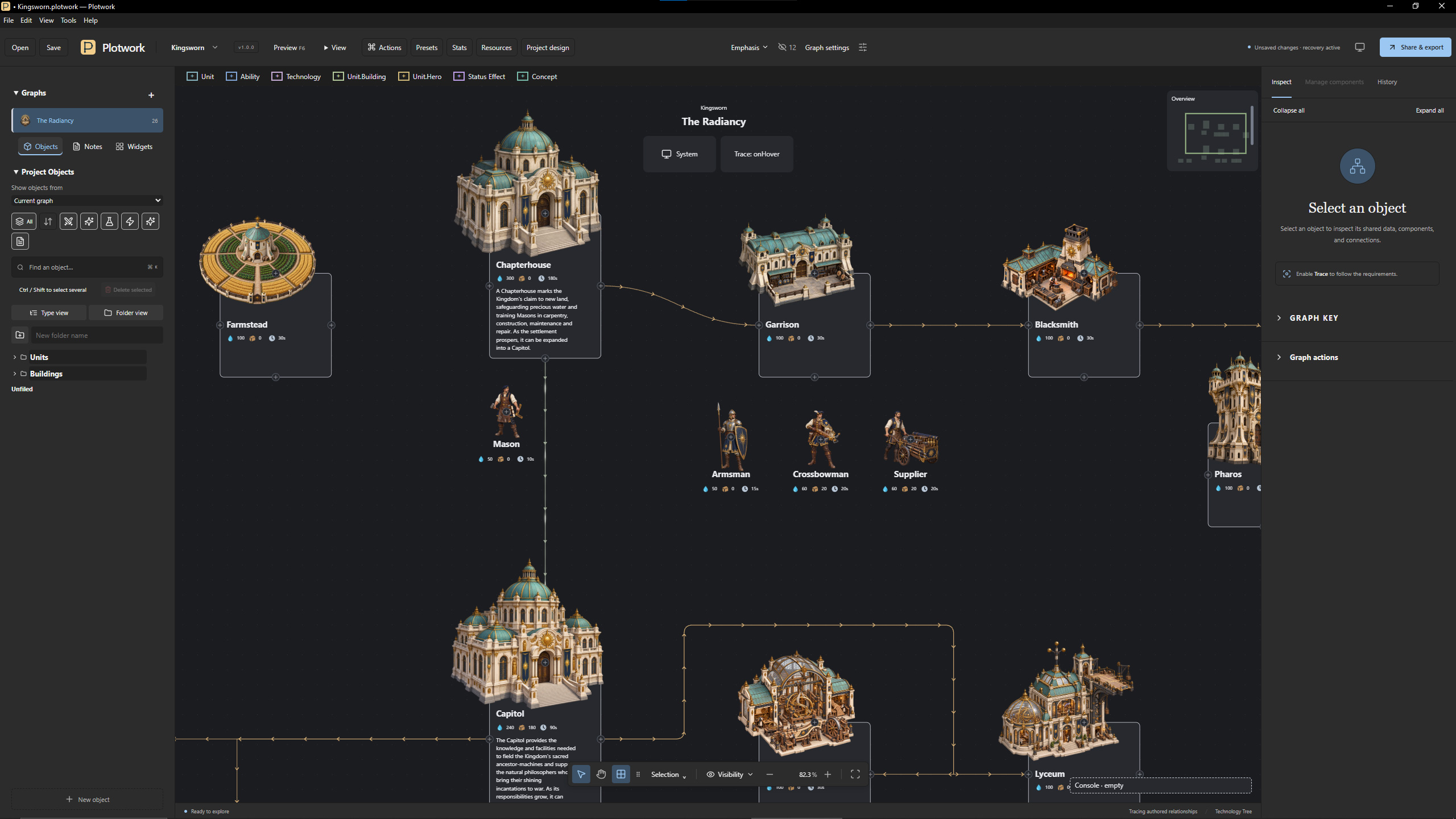
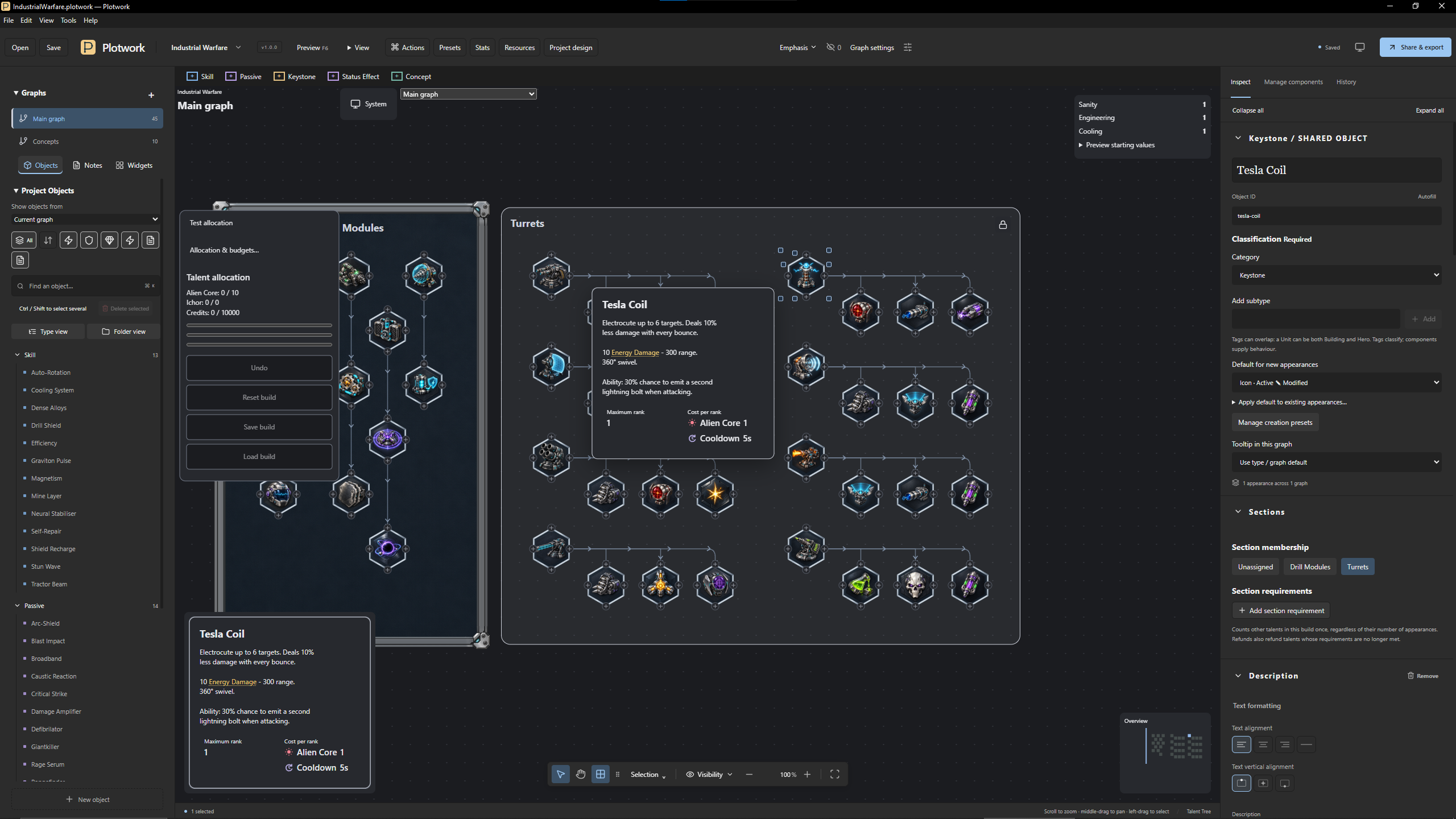
Plotwork is a desktop editor for the connected designs at the heart of games: talent trees, skill trees, technology trees, flowcharts and investigation boards. Lay out your diagram, describe its contents and share it as an interactive browser page. Talent trees can also be tested by spending and refunding points. It also exports structured data for your own game.
Everything stays on your computer in a single project file. Plotwork needs no account, no subscription and no internet connection.
What people make with it
- Talent and skill trees. Ranks, point costs, prerequisites and tiers, tested by actually spending points.
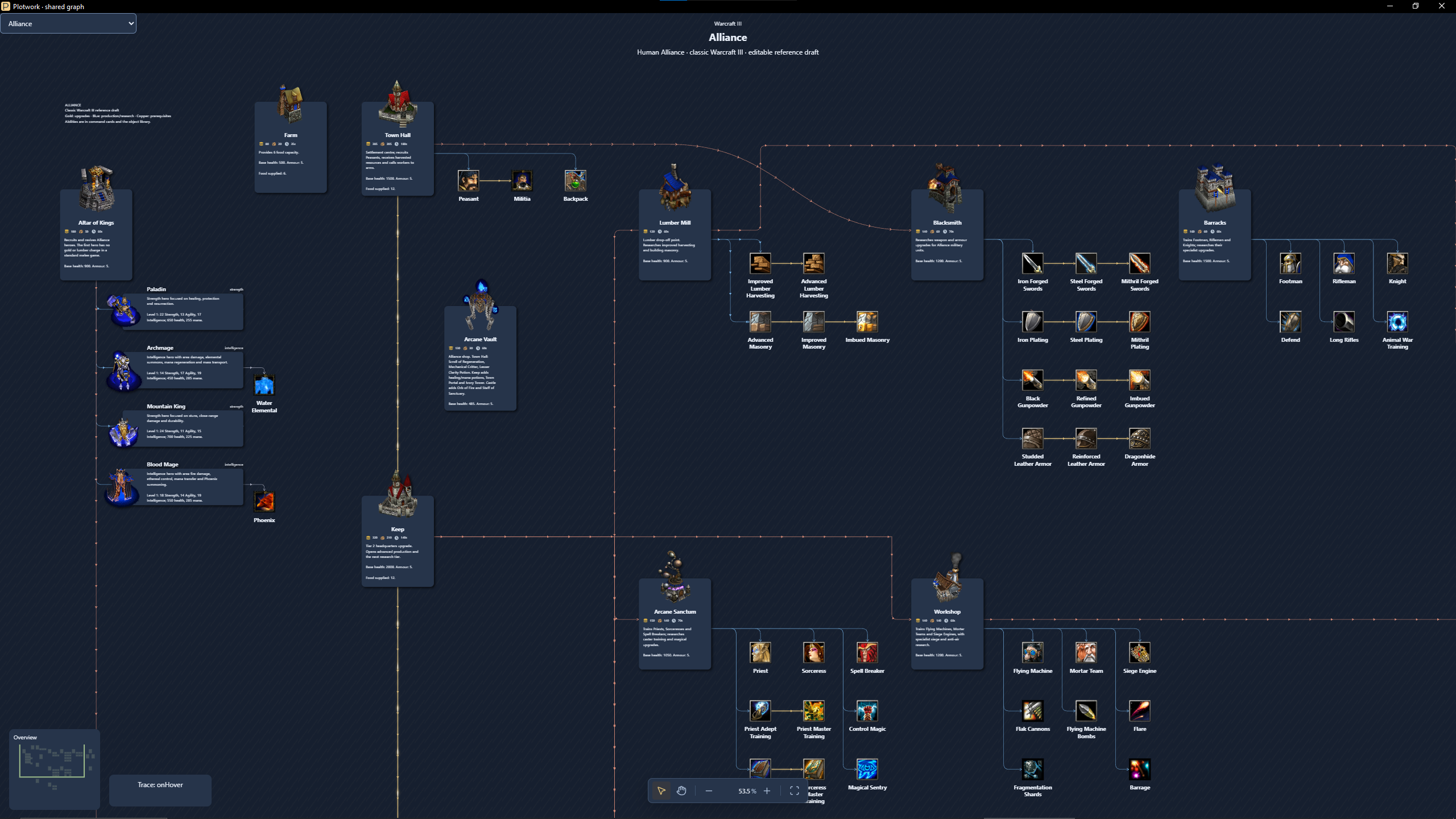
- Technology trees for strategy games. Units, buildings, heroes, upgrades, command cards and resource costs.
- Game data. One source of truth, exported as structured JSON for your game's own importer.
- Playable previews for your community. Players can explore and try builds in their browser without installing anything.
- Investigation boards for mysteries and tabletop campaigns. People, organisations and evidence, and how they connect.
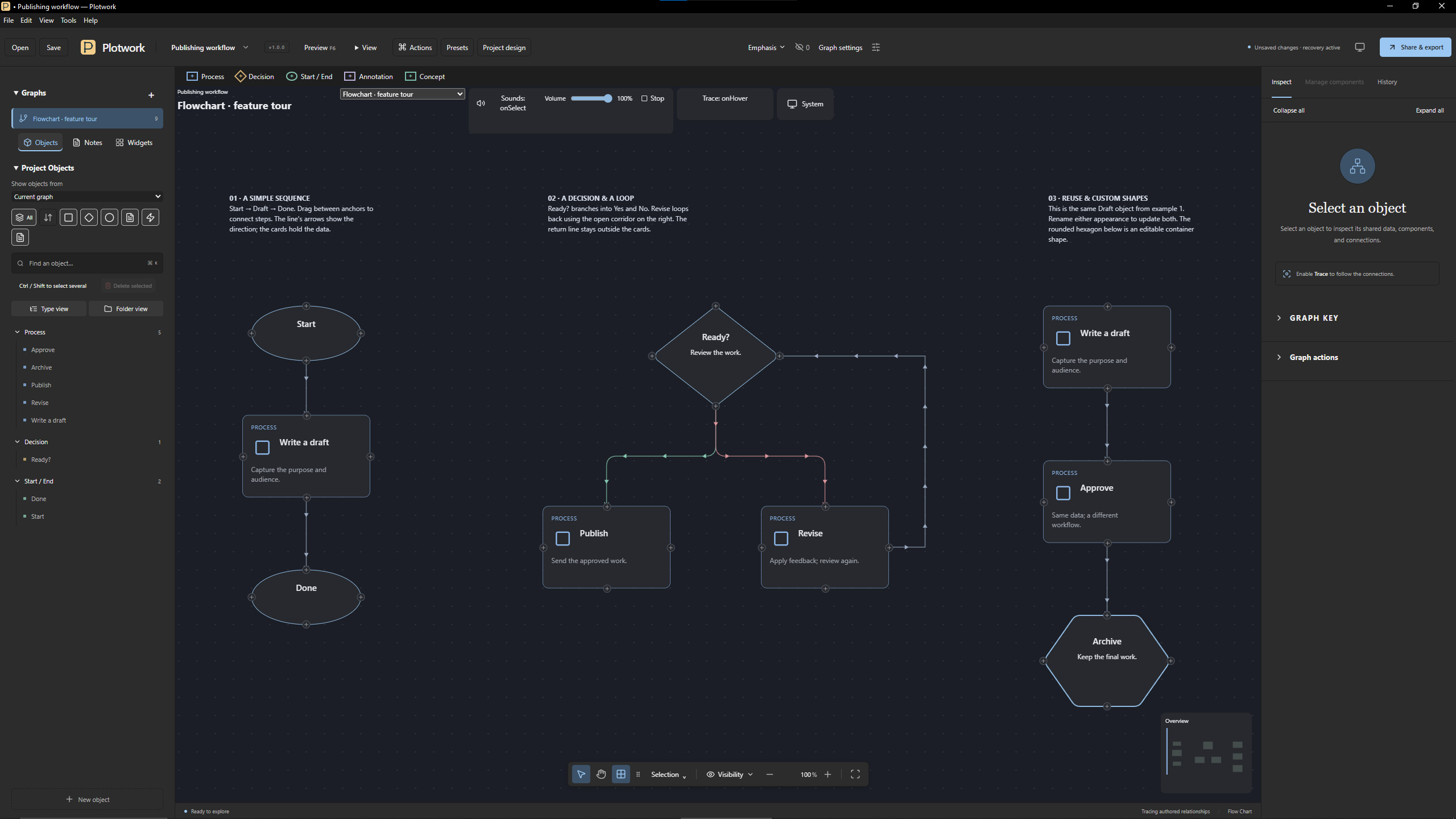
- Flowcharts for processes, decisions and outcomes.
You can download and view two HTML exports at the bottom of the page.
Features at a glance
- Four templates included: Talent Tree, Technology Tree, Flow Chart and Investigation, each with editable demo projects.
- Test as you design: spend and refund points right on the canvas, and watch talents unlock.
- Live text and formulas: descriptions that calculate their own numbers, such as "+15% damage at rank 3".
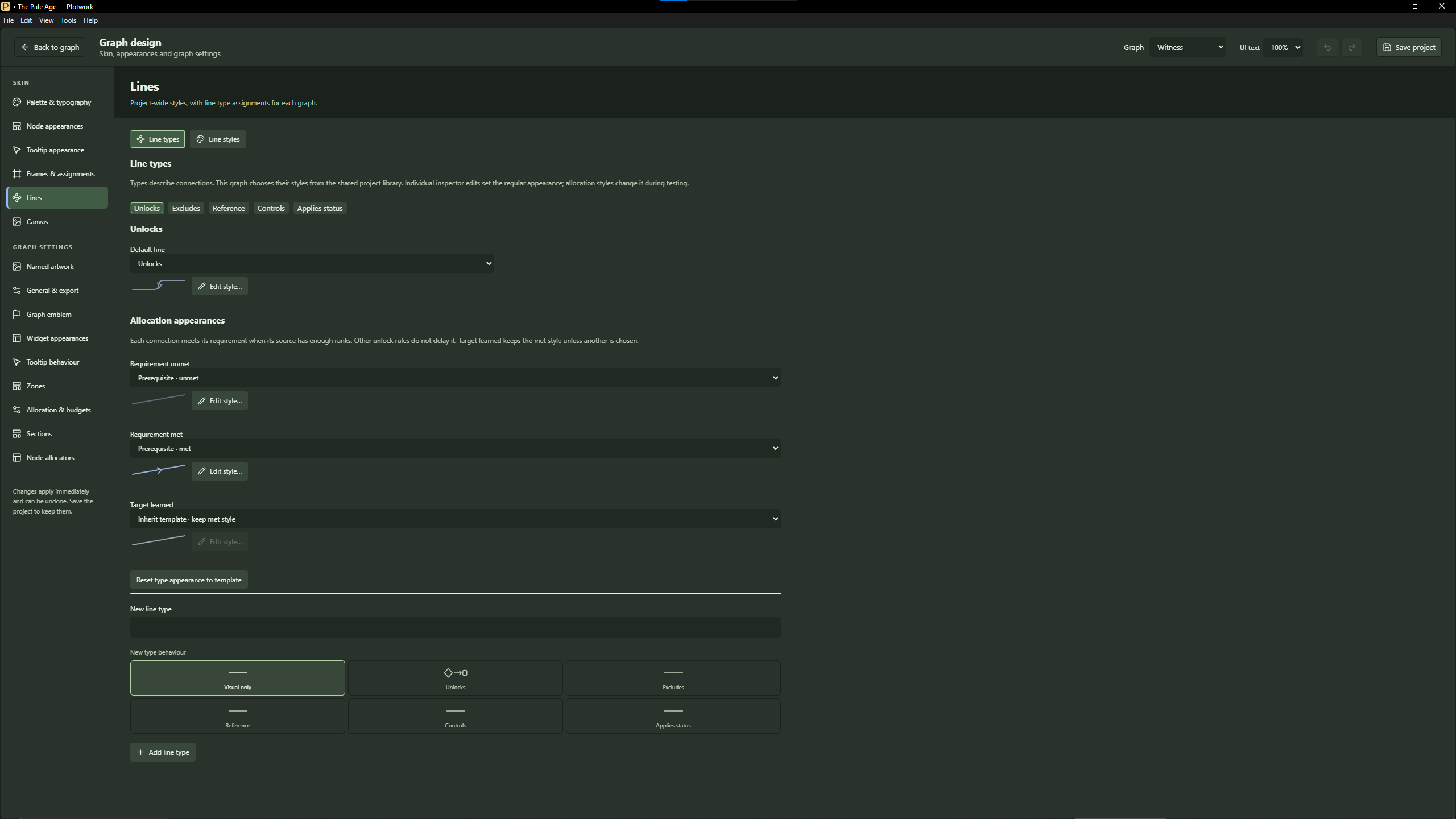
- Full visual control: design your own cards, tooltips, frames, icons, lines and on-screen panels.
- Share it: an interactive HTML page for players, the editable project file, and JSON, PNG and SVG exports.
- Build with an AI assistant (early access): a built-in command-line tool lets an AI coding assistant create and revise Talent Tree and Technology Tree projects. This is a work in progress that we plan to expand (see below).
Templates
- Talent Tree: skills, passives, keystones and status effects, connected by Unlocks and Excludes.
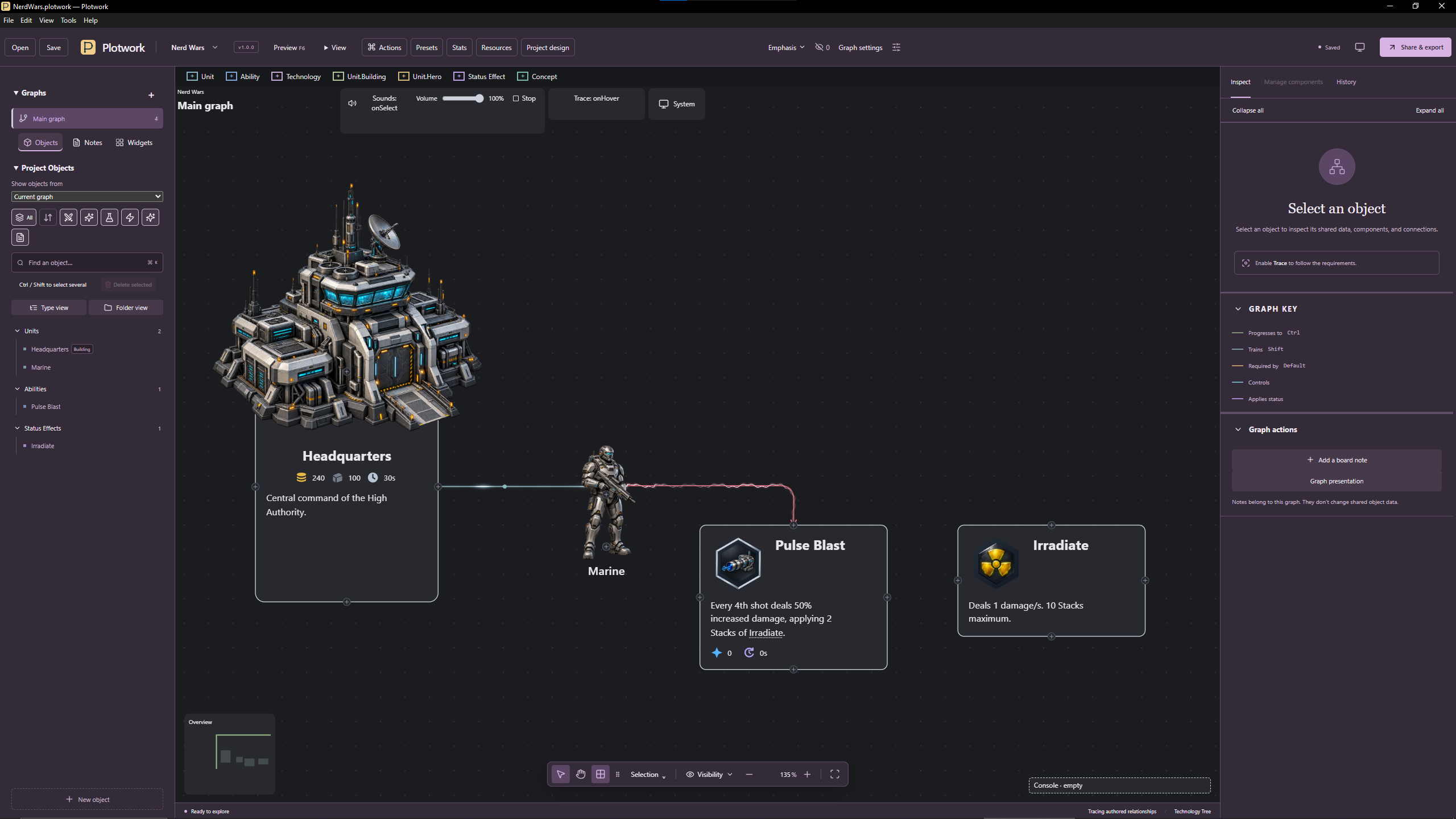
- Technology Tree: units, buildings, heroes, abilities, technologies and status effects, connected by Progresses to, Trains and Required by.
- Flow Chart: processes, decisions, start and end points and annotations, connected by Next, Yes and No.
- Investigation: people, organisations and evidence, connected by Knows, Member of, Supports and Contradicts.
All four templates also include:
- Concepts, for the ideas your game is built on, such as damage types, armour types and keywords. Define each once and link to it from any description.
- Interactors: buttons you can place on the canvas or pin to the screen.
Included demos:
- Whimsy & Knaves and The Pale Age (Talent Tree)
- Kingdoms & Keepers (Technology Tree)
- Publishing workflow (Flow Chart)
- The Glasshouse affair (Investigation)
Build your tree (all templates)
- Several graphs in one project, for example one per class, faction or chapter. You can switch between them, reorder them, or duplicate them.
- Layout tools: click to place, snapping guides, locks, multi-selection, movable connection points and rerouted lines.
- Organisation: board notes and Zones on the canvas; folders and search in the sidebar; an Overview minimap to find your way around big trees.
- Media: images, video previews and sound clips on any item.
- Undo and redo for project edits, with a clickable history.
- Automatic recovery snapshots help restore recent work after an interruption.
Talent Tree
- Ranks and costs: multiple ranks per talent; costs per rank that can be formulas, such as
2 * rank; several point types with their own budgets, such as Skill Points and Mastery Points. - Unlock rules: prerequisites with a required rank, needing all of them or any one; mutually exclusive choices; tier requirements, such as "6 ranks in lower tiers first", counted in ranks or in a chosen resource.
- Sections: group talents into branches with their own unlock rules, such as "spend 10 points in this branch" or "learn 3 talents here", shown as backdrops on the canvas.
- Test allocation: learn and refund on the canvas (a refund removes talents that depended on those points); Undo, Reset, Save build and Load build; builds can be shared across several graphs.
- Live states: talents and lines change look as they become locked, available, learned or maxed, and you design each state.
- Current and next rank: descriptions and tooltips can show a talent's current-rank and next-rank effects.
- Character stats: talents modify stats, shown live in a stats panel.
- Status effects: talents can apply them.
- One talent, one purchase: in the current version, placing the same talent more than once represents the same purchase within a build. For upgrades that are bought separately, create separate talents. A planned feature, reusable objects, will make this easier (see below).
Technology Tree
- Command cards: each unit or building has a card of abilities and production, with its own layout.
- Heroes: hero levels with stat growth.
- Costs and values: resource costs such as Gold, Lumber and Build time, plus ability values such as Mana, Cooldown and Cast time, each with modifiers.
- Status effects: abilities can apply them, and they can be toggled to see their effect.
- Console panel: shows the selected unit's details and command card.
Live text and formulas (all templates)
- Rich text with bundled fonts.
- References: type
{{to choose from the available object names and fields, stats, resources, statuses and concepts. References stay up to date when you rename things. - Calculations: type
{{=to start one. For example, at rank 3,{{= 5 * rank|+-|%}}displays "+15%". Calculations can userank, stats, resources,min,max, rounding and more, and are checked as you type. - Display formats: signs, decimals, prefixes, suffixes and degree symbols.
- Reference tooltips explain linked terms and calculations.
Make it yours
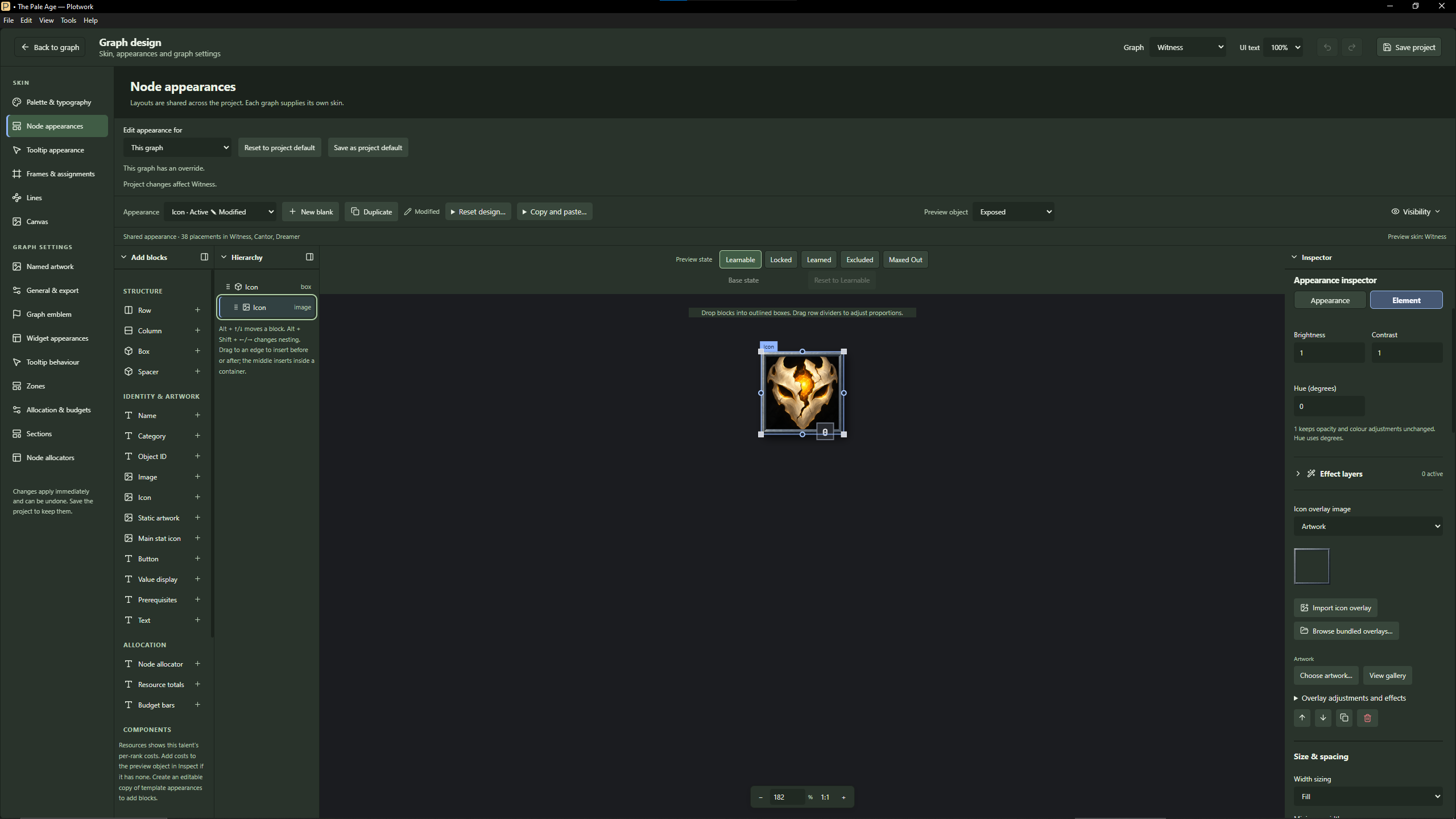
- Appearance editor: build the cards, tooltips, rank counters, buttons and panels for your tree from blocks such as text, images, stats, costs and prerequisites.
- Effects: glow, shadow, gloss, foil, prismatic and more on items. Lines can pulse, flow, or carry chevrons and arrows.
- Reusable looks: set them for the whole project or one graph, give an item its own design, and copy and paste between items.
- Artwork included: packs of frames, icon overlays and resource symbols, or import your own artwork.
- On-screen panels: graph title, emblem, navigation, overview, trace and emphasis tools, sound controls and more (the Talent Tree adds an allocation panel and a stats panel). Pin panels, buttons or board notes to the screen, or place them on the canvas. Containers arrange several panels together.
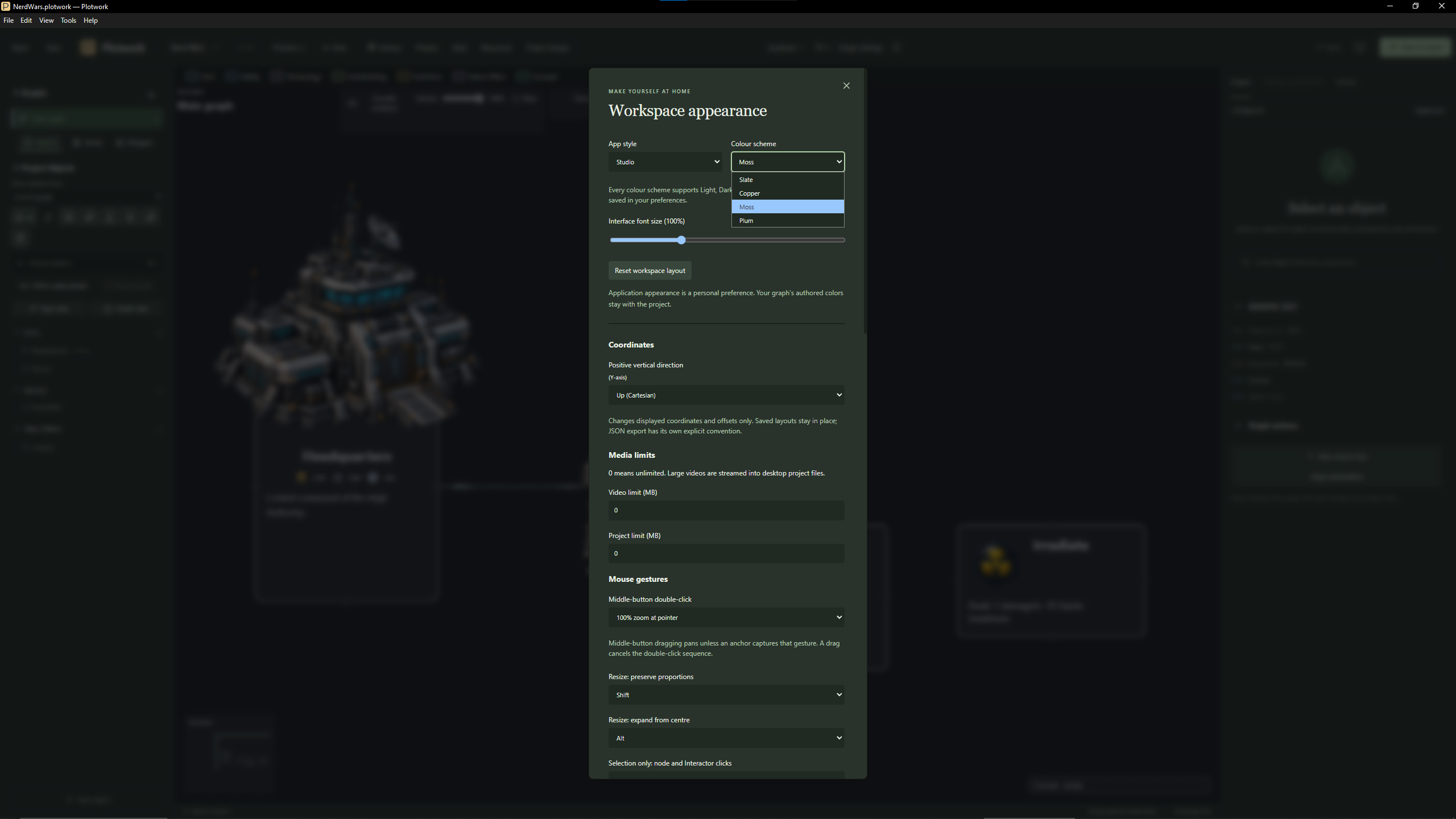
- Colour modes and skins: light and dark modes, and skins for the app itself.
Share it
- Interactive HTML viewer: one file your players open in a modern web browser. They can explore, hover, and try their own builds, with no install needed.
- Editable project file: share the
.plotworkfile with anyone who has Plotwork. - JSON export: structured data (keys, fields, connections) for your game's own importer. Connecting it to your engine is up to you; there's no built-in Unity or Unreal plug-in.
- PNG and SVG images of any graph.
- Template packages: export a customised template and install it on another copy of Plotwork.
- Preview (F6): try your graph and its interactions before exporting.
Build with an AI assistant (early access)
Plotwork includes a command-line tool and a guide for AI coding assistants that can read local files and run commands. It currently supports Talent Tree and Technology Tree projects. Your assistant can:
- create an editable tree from an outline, including artwork from a folder or zip file;
- inspect an existing project, plan changes, and revise its content and connections;
- manage graphs and object folders;
- arrange a starting tier layout, and reposition existing panels;
- export JSON.
It only ever writes new files, never overwrites your project, and follows exactly the same rules as the editor. Nothing needs to be installed: no MCP setup is required.
Your AI assistant, and any account or service it needs, are separate from Plotwork. Depending on its settings, an assistant may send the project information it reads to its provider.
This is an early-access feature. Detailed visual design, precise node placement and appearance editing are still done in the editor. We plan to expand it (see below).
Help and preferences
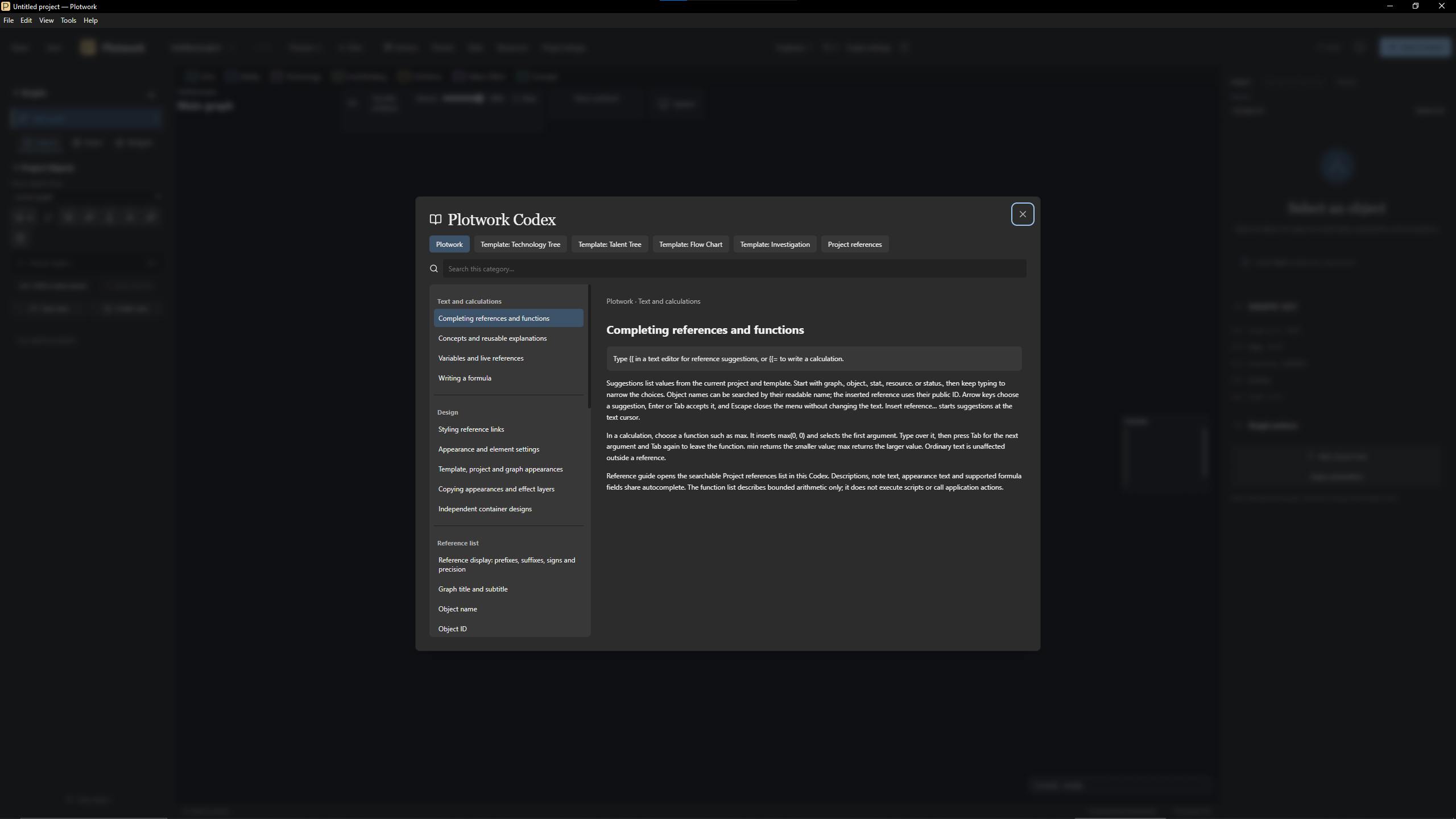
- Codex: an in-app guide to Plotwork's features and workflows.
- Reference guide: lists everything you can reference in the open project.
- Hints and tricks on start-up, which can be turned off.
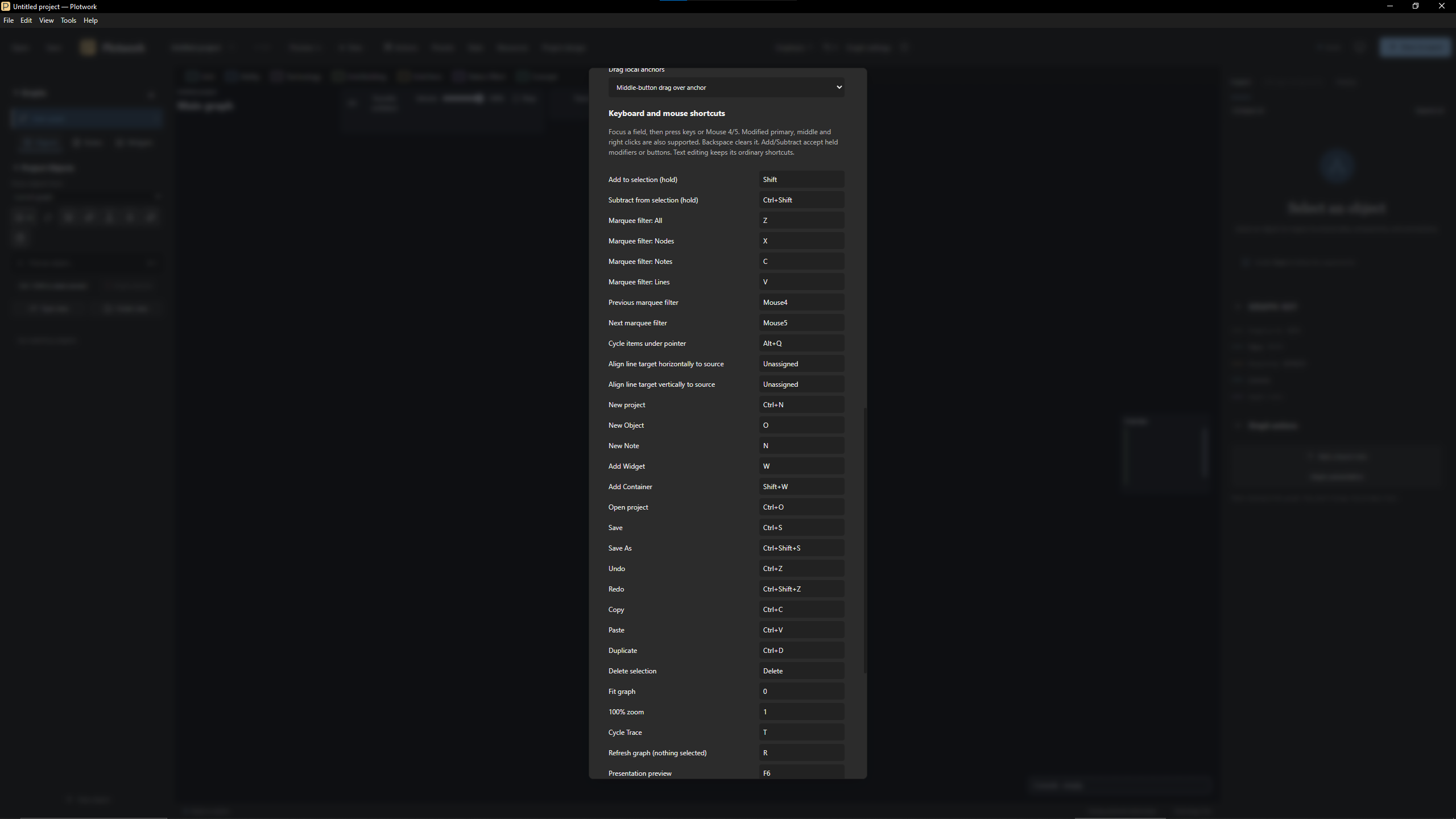
- Shortcuts can be rebound.
Platforms and limits
- Windows 10 and 11 (64-bit): fully supported. It's portable: extract the folder and run it. The app isn't code-signed yet, so Windows may ask you to confirm the first time you open it.
- Linux x64 (experimental): every purchase includes the Linux build to try. It's the same application as the Windows version, but it hasn't been tested on a Linux desktop yet, so keep copies of your projects and let us know how it goes.
- macOS: under consideration (see below). Let us know if you'd use it.
- Large projects: very large diagrams, and some folder operations, can be slower to edit.
One purchase, everything included
Every template, demo and artwork pack is included, along with free updates. There's no subscription, no account and no activation. Previous versions remain available to download wherever the store allows it.
Disclaimer: Plotwork is still being worked on. I use it for my own work, but testing new versions still takes time. If you encounter a feature that doesn’t work - or a bug - please report it so it can be fixed as soon as possible.
Leave a comment or email Plotwork support at: treebuilderapp@proton.me
Planned development
These are the features we're working towards. Scope and release dates have not been announced.
- Reusable objects. Several variants of one object, such as a talent, unit or building, inherit their text, artwork, formulas and costs from a single base. For example, a Fireball could appear in both the Pyromancer and Battlemage branches, bought separately in each and with its own identity in your exports. Changing the base updates every variant's inherited fields, and each variant can still override selected values.
- Widget creator. Build entirely new on-screen panels and controls of your own, not just restyle the built-in ones.
- Functions and events. Make your tree react when something happens. For example, when a talent is learned or a status changes, it could apply an effect, play a sound, update another value or open another graph. You'll also be able to define your own reusable functions for formulas, beyond the built-in
min,maxand rounding. - More from the AI assistant tool: support for more layout and presentation tasks, such as exact positions, connection lines, command cards (Technology Tree) and appearances.
- Faster editing for very large trees.
- Windows code signing, to identify the publisher and help reduce security warnings.
- Further Linux testing and compatibility improvements.
Under consideration
These are ideas we're exploring. None of them is promised yet.
- macOS version, if there's enough demand.
- Dialogue Tree template, for branching conversations and choices.
- Dynamic sections and notes. Backgrounds and notes that change as a build progresses, for example a Talent Tree section that lights up once enough points are invested in it. This would build on functions and events.
- Templates as add-ons. Today, a template switches on the features it uses, such as talent allocation or command cards. In future, templates may add those features to Plotwork instead, so they can be mixed and extended more freely. This could change how some features are organised. We'll explain any such change before it ships, and previous versions remain available to download wherever the store allows it.
Purchase
In order to download this tool you must purchase it at or above the minimum price of $11.99 USD. You will get access to the following files:
Download demo
Leave a comment
Log in with itch.io to leave a comment.